Popular Games
Last Played


Pop It 3D Fidget Toy Maker
7 plays


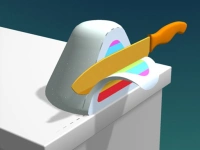

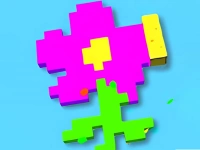






















Pop It 3D Fidget Toy Maker
Pop It 3D Fidget Toy Maker is a browser game about customizing toys with colors and stickers. i found the process to be simple but still requires clicking and dragging.
How To Play Pop It 3D Fidget Toy Maker
Start by customizing your Pop It toys with colors and stickers, then craft fun designs.
Controls and Features
You click on color swatches, drag a spray can, and add stickers. Note that the game does not explicitly state any timer, hints, toggles, modes, levels, or difficulty settings.
Tips
Click on color swatches and drag your spray can across the surface to apply colors to your toy. Keep your mouse movements steady for better coverage.
Pop It 3D Fidget Toy Maker FAQs.
Q: What are the controls? A: Click on color swatches and drag the spray can.
Q: What is the objective? A: Customize Pop It toys with colors and stickers.
Q: What is the main mechanic? A: Clicking, dragging, and adding stickers.
About this game
- Supported devices
- Desktop
- Genre
- Racing Games
- Release date
- 24 September 2024
- Latest update
- 24 September 2024
- Rating
- No ratings yet