 kizi.com.es
Popular Games
Last Played


Blocky World 3D: Creative Mode!
5 plays















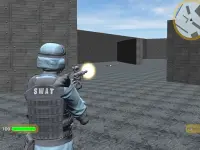




























Blocky World 3D: Creative Mode!
Blocky World 3D: Creative Mode offers a light gravity experience where you can fly to view projects. Still you can place and destroy blocks instantly in creative mode without surviving.
How To Play Blocky World 3D: Creative Mode!
Use W S A D keys to move, Shift to sprint, and Space to jump.
Controls and Features
Note the flight mode uses Z and X keys to go up and down. Press E to open inventory, Tab for settings, and F to activate flight mode.
Tips
You can use dynamite to destroy structures fast, and fly up high to view large builds. Keep trying new things with unlimited building.
Blocky World 3D: Creative Mode! FAQs.
Q: How do i activate flying in the game? A: Press F to turn flight mode on and use Z and X to change height.
Q: What key opens the inventory? A: E key opens the inventory management screen.
Q: How do i destroy blocks? A: Use left mouse button to mine or destroy blocks instantly.
Q: Can i build without gathering resources? A: Yes, creative mode gives all blocks without needing to survive.
About this game
- Supported devices
- Desktop
- Genre
- Action Games
- Release date
- 10 February 2026
- Latest update
- 10 February 2026
- Rating
- No ratings yet