 kizi.com.es
Popular Games
Last Played


Monster Maker
4 plays




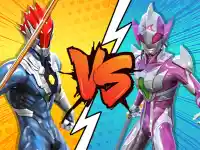








































Monster Maker
Monster Maker lets users create monsters with a generate button. i click it often to see a new creature appear instantly on the screen.
How To Play Monster Maker
Click generate to start, and enter a seed for a custom monster, then screenshot to save.
Controls and Features
Controls include a generate button and seed input. Note the multi-color feature adds flair, and background selection allows for customization.
Tips
Use the seed feature to get a specific monster you want, then try the multi-color option for better style. Keep the background choice in mind for the final look.
Monster Maker FAQs.
Q: How do i save a monster in Monster Maker?
A: Use the screenshot feature to capture the image.
Q: What is the purpose of the seed input?
A: It allows for personalized monster generation with specific inputs.
Q: Can i change the colors of my monster?
A: Yes, activate the multi-color feature to add flair to the palette.
Q: Is there a way to change the monster's background?
A: Yes, you can choose an intriguing background for your monster.
About this game
- Supported devices
- Desktop
- Genre
- Arcade Games
- Release date
- 26 September 2024
- Latest update
- 26 September 2024
- Rating
- No ratings yet